
Make every day more productive and profitable
Help
Help CentreBusiness owners are now required to file their VAT returns using software recognised by HMRC. Balance by Squeegee is now HMRC recognised so there's no need to have additional subscriptions to Xero or Quickbooks.
Are you ready to simplify your processes to have them all under one piece of software?
Balance by Squeegee is the answer to your Making Tax Digital accounting headache.
Why Making Tax Digital software is needed
All VAT-registered businesses must now have digital record-keeping and submit VAT returns using compliant MTD software. 'Balance by Squeegee' integrates this necessity into your routine business management without the need for separate systems.
With automatic recording of VAT transactions, the work is done for you so whether you want to prepare it yourself or have an accountant or bookkeeper help you - Balance by Squeegee is here.
Currently, Making Tax Digital focuses primarily on VAT submissions. However, in April 2026 it will expand to encompass Income Tax and Corporation Tax in the future.
What does Balance by Squeegee offer?
As well as the huge advantage of not having to have multiple subscriptions for scheduling, invoicing and payments and now accounting, Balance by Squeegee offers complete oversight of all your accounts or the ability to drill down to tiny details:
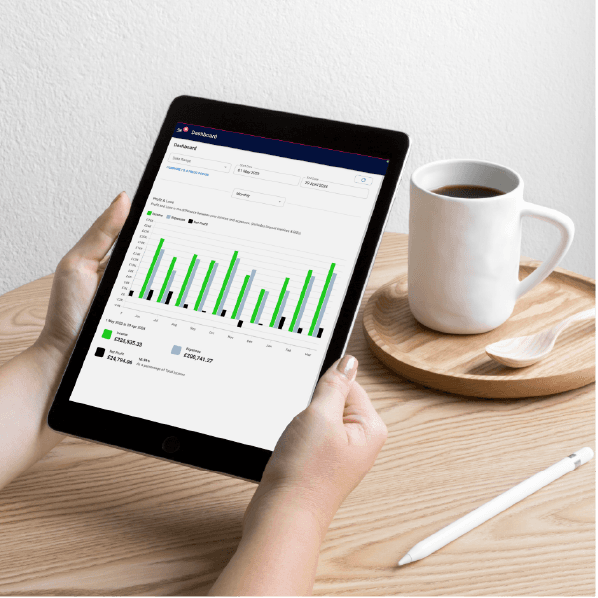
The Dashboard shows a visual of profit and loss with clear figures for income, expenditure and net profit.
Businesses can quickly and easily view and compare data in different periods with either:
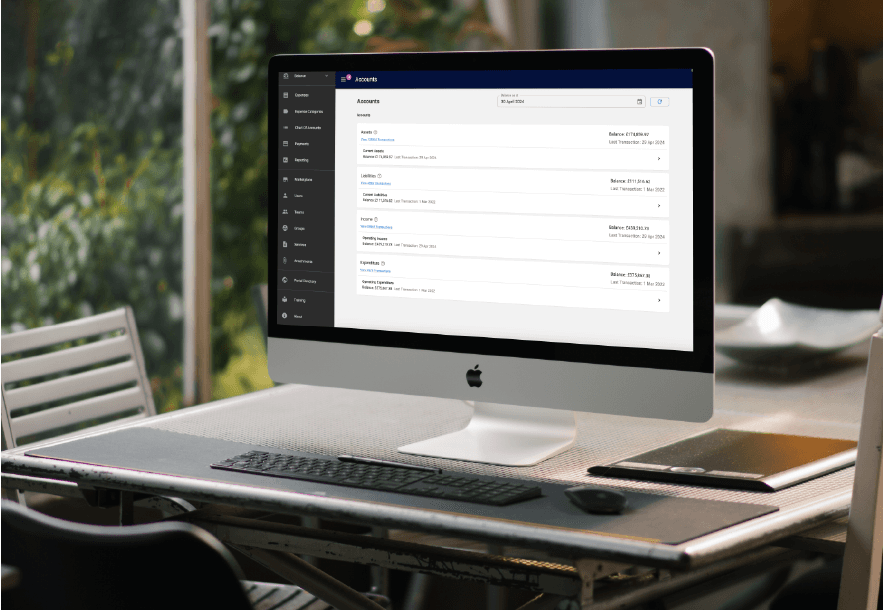
The Accounts Overview displays balances for:
click through to see the details from overview of debtors (accounts receivable) to individual debtor invoice and payment transactions linking through to your Stripe or GoCardless dashboard
As with everything in Squeegee, the results can be filtered, sorted and exported.
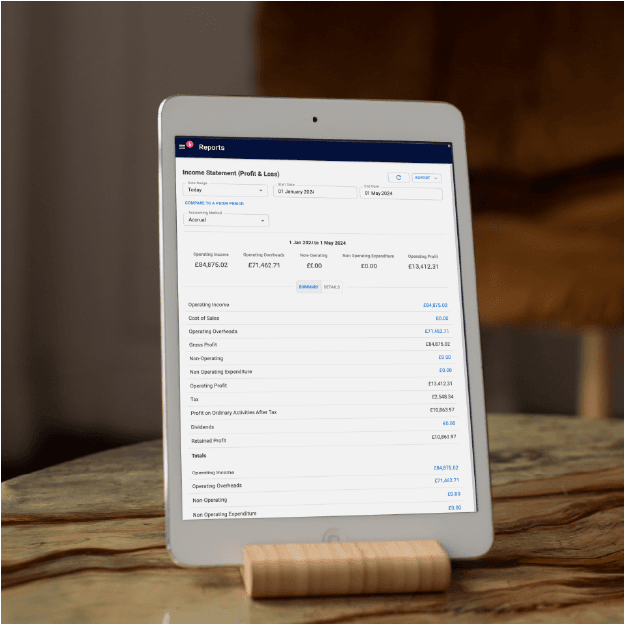
On top of the general reports in Squeegee itself, Balance offers details accounting reports that are compliant with Making Tax digital requirements.
The reporting possibilities are endless!
Access financial and accounting reports for any time frame based on cash or accrual accounting methods.
Drill down to minute detail if you need to or just view the summarised headline figures for each account.
Headline reports on:
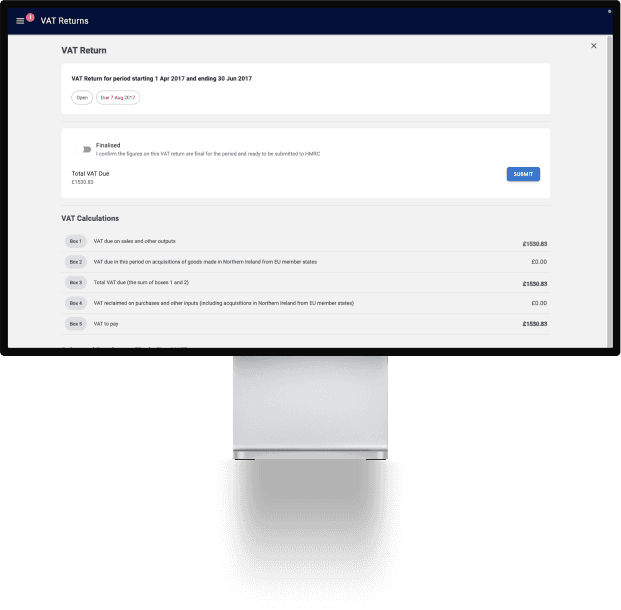
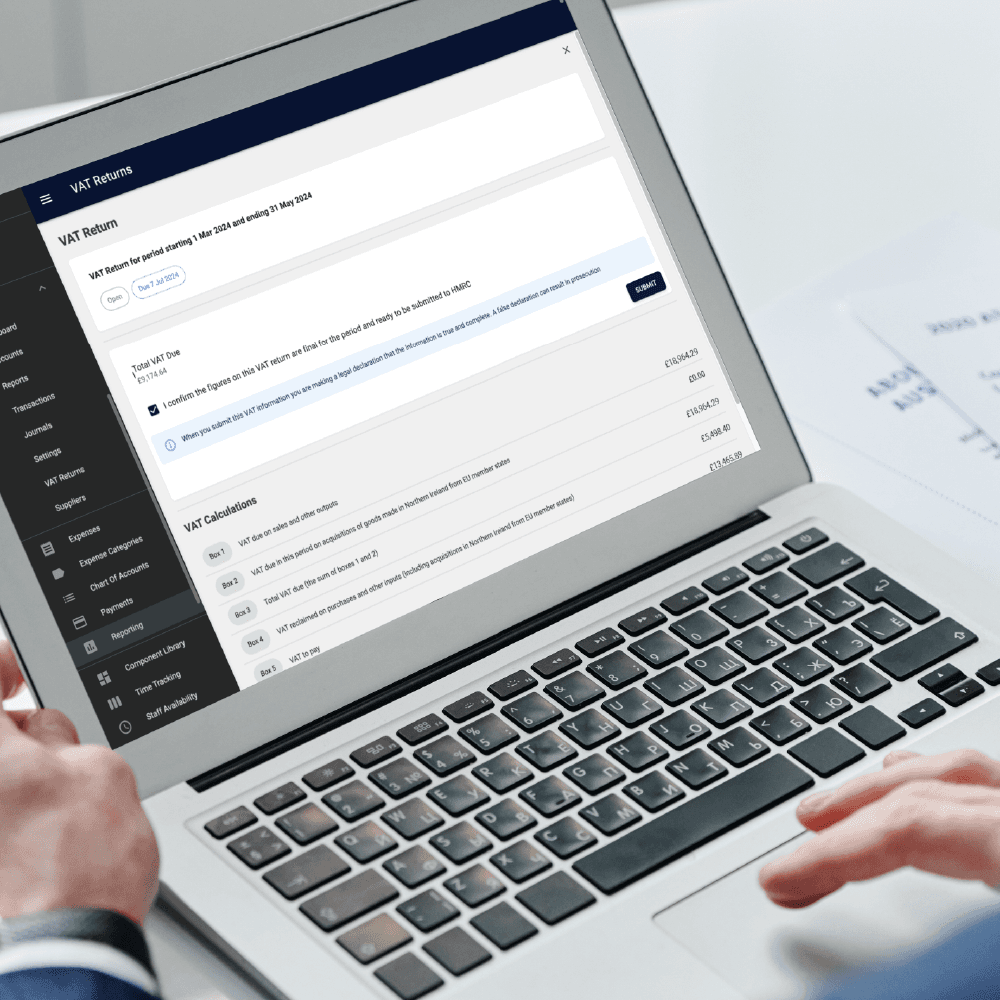
Balance by Squeegee automatically calculates everything necessary for your vat return and allows submission when a HMRC account is linked.
Balance by Squeegee automates the whole process taking:
and providing you with the total owed to HMRC allowing you to keep a running total of the amount owing.
From here, you can view and managed VAT transactions to make adjustments and
File VAT returns online by submitting directly to HMRC.
We recommend keeping on top of your VAT so that you always know how much is owing. That way, you can be prepared by transferring money to a separate account or savings 'pot' in bank accounts that allow this.

If you are your own boss, it could be the case that YOU are the business. To be able to successfully pass the business on, you need to have processes in place so the business runs without you and Squeegee has the answer.

What is Making Tax Digital (MTD) and what do I need to know as a business owner?

What is MTD for ITSA? Making Tax Digital for Income Tax Self Assessment (MTD for ITSA) is an upcoming requirement from HMRC, aimed at modernizing the UK tax system. Starting in April 2026, individuals with an income over £50,000 from self-employment or property rental will need to:
