Subscribe To Our Newsletter
Get notified about news, webinars and more.

Make every day more productive and profitable
Help
Help CentreMake every day more productive and profitable
Help
Help Centre
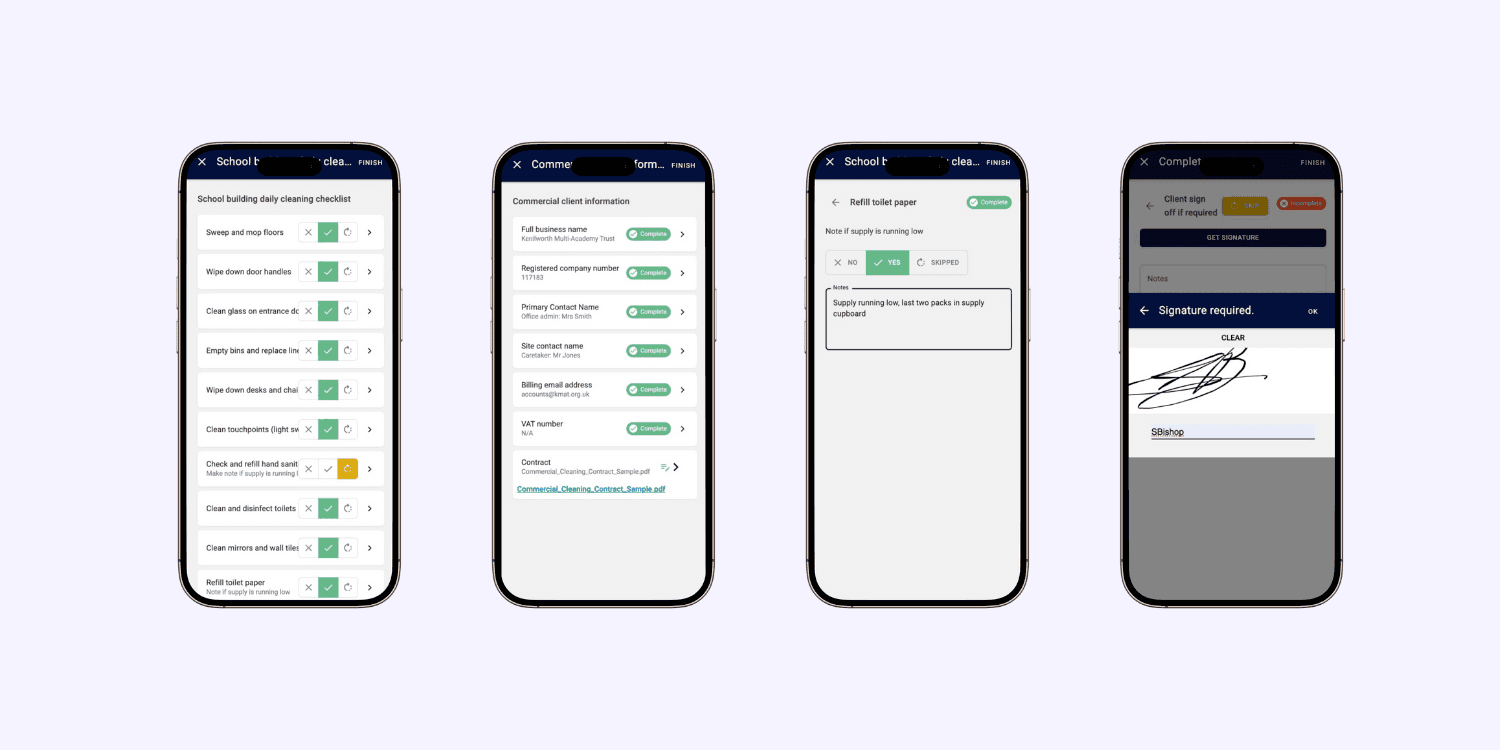
Take your job management to the next level with Custom Forms, a powerful feature that allows you to customise your workflow to give you complete control over how jobs are managed and completed in Squeegee.
Now you can create and assign job-specific forms to guide your team through every step of a job visit. Whether for inspections, product usage tracking or ensuring compliance with job-specific requirements, custom forms help maintain high service standards.
You can:
Available on the Ultimate plan To set up Custom Forms, go to the Admin menu > custom forms and create a new collection from one of the templates or create your own. Follow the guide here: Creating Custom Forms.
For more ideas on how to use Custom Forms in your business, read Custom Forms: Work Your Way.