Subscribe To Our Newsletter
Get notified about news, webinars and more.

Make every day more productive and profitable
Help
Help CentreMake every day more productive and profitable
Help
Help Centre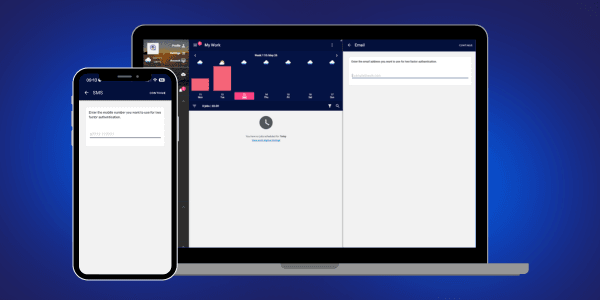
We wanted to update you on the recent disruption caused by the email-sending issues and share the steps we’re taking to prevent this happening again.
The issue arose when a user account was compromised. This happened because the same password had been reused across multiple services and had previously been exposed in a data breach unrelated to Squeegee. Once access was gained, malicious scam emails were sent from the compromised Squeegee account to thousands of contacts.
As a result, our email provider temporarily suspended sending access, which unfortunately affected other users across the platform.
To strengthen security, we have already implemented:
Because this has now happened twice within a short period, we will be introducing mandatory two-factor authentication (2FA) for all Squeegee accounts from 1st July 2026.
Two-factor authentication adds an extra layer of security during sign-in and dramatically reduces the risk of unauthorised access. It also helps keep your customer data secure and supports compliance with current GDPR data protection requirements, where businesses are responsible for protecting the customer information they store.
These changes will significantly improve platform security and eliminate almost all risk of this happening again.
We understand that in some businesses, accounts may be shared — for example, where one person carries out the work and another handles the admin. In this case, i.e. where there is one person's worth of work we can add an ‘Authorised Assistant’ role to your account. Please contact us to request this and we will review your account.
Keeping your Squeegee account secure:
1. Enable Two-Factor Authentication
2FA adds an extra layer of protection by sending a one-time verification code to your mobile device each time you log in. This helps keep your account, business and customer data safe.
2. Use Strong, unique Passwords Avoid easy-to-guess passwords and never reuse the same password across multiple websites or apps. Using a unique password for Squeegee means your account is better protected if another service is ever compromised. And if you get the notification to say your password has appeared in a breach - please change it!
3. Regularly review User Accounts Remove users who no longer need access and update permissions as team roles change. Keeping account access up to date reduces risk and helps keep your account organised.
4. Create individual User Accounts Give each team member their own login. This allows you to control exactly what each user can see and do, improves accountability and makes it easy to revoke access when someone leaves.
We appreciate your patience and understanding while we continue improving the security and reliability of Squeegee for everyone.
How often will I have to go through the 2 factor process? You’ll only need to sign in again using 2-factor authentication after signing out, clearing your browser, updating the app or when signing in on a new device. In most cases, you won’t be asked to complete the process every time you use the app.
How do I add another user to my account and what is the cost? You can add a new user to your account by following these steps Each additional user is charged at the same rate as your existing plan (for example, a Core user is £19/month inc. VAT). Every user will have their own login, allowing them to access the system independently. You can add or remove users at any time as your team grows. See prices here
Why is Squeegee priced per user?
Squeegee is designed to support businesses of all sizes and working styles. A key part of that design is recognising that, in most cases, the number of users on an account directly correlates with the volume of work being managed. More users typically means more jobs, more customers, more data, and greater overall usage of the platform.
That’s why each plan includes a per-user charge. The subscription cost reflects not only access to Squeegee’s features and tools, but also the increased demand placed on the system through data processing, feature usage and the additional support required as businesses grow.
All additional users are charged at the same rate as the account’s chosen subscription plan. Unlike many SaaS platforms, every user on a Squeegee account receives the same level of support and access to assistance, regardless of their role within the business.
Each team member receives:
This approach ensures teams can work efficiently while maintaining accountability, flexibility and a consistent experience across the entire business.